This is IMPORTANT for all those users of Google Blogger who would like to download their images.
For those using Blogger, you may be aware that all the images you have uploaded to Blogger over time are available in something called Google Archive.
The link to Google Archive for your Google Account is https://get.google.com/albumarchive/ plus a long number which relates to the Google Account you use.
However Google Archive is going away.
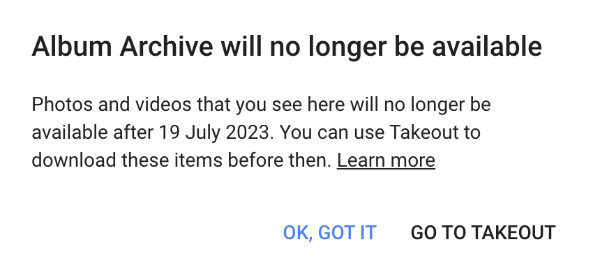
Technology giant Google has announced that it is shutting down its Album Archive feature. It will no longer be available to Google users starting July 19, 2023. For those unaware, Album Archive feature allows users to view and manage content from different Google products
So if you want to access easily all the images you have uploaded to your Blogger Blog or other Google Products in the past, you need to download them
For me, some of the images are on old computers which I blew up through overuse(!), so the archive is important to me to remind me what exists in photography or paper form.
How to download your images from Google Archive
You can do this in one of two ways
If you've previously accessed Google Archive, Google knows and will have sent you an email about what to do.
Basically, in the email Google explains how it wants you to use a function called Google Takeout
- this is a bit longwinded - depending on how many images you have stored.
- you say what you want done with your images
- then Google downloads them - but this can take a long time - so you then have to watch out for the email which says they can now be accessed.
- BUT whether you get what you want is debatable!
I can tell you what what you get this route is NOT necessarily the same as all the images in your Google Archive i.e. what happened to me
However if you go to the Blogger Album bit of your archive, you can also access past album stores of images and download them direct to your hard drive. THIS IS WHAT YOU HAVE TO DO TO DOWNLOAD YOUR IMAGES

- go to the three vertical dots top right corner of the view of your images in the archive
- click download the album
- you will then get a file of all your images.

You have until 19 July 2023 to download your pics.
 |
| Sketches from 2011 in the Blogger Album for my Sketchbook blog |
This is what I did a while back when I realised that Google was at some point going to get rid of access to the Archive.
I'm now checking to make sure I've accessed and downloaded everything I want to.
The big question for me is if they get rid of the archive what happens to all the images on my blog going back 18 years?
Will they still load?


